
Turn Salesforce Signals Into Sends That Move Deals Forward
Supercharge the quality of your sends and measure every point of influence. Trigger a send the moment a deal hits the right stage, a contact takes the right action, or a lead enters a specific campaign. Launch your send from the tool you already work in, whether that's Salesforce, Sendoso, or an AI assistant. Every gift logs back as a Salesforce activity, tied to the pipeline, deals, and revenue it influenced, so proving what's working takes seconds.
Media

Let Your Salesforce Data Set the Rules
Field-Triggered Automated Campaigns Close deals faster by triggering a gift the moment an Opportunity, Lead, or Contact field changes: a form filled, a demo booked, a deal about to close. The send goes out personalized and on-time, without adding a task to your sales team's plate.
Global Guardrails with the Policy Center Set org-wide sending rules using the same Salesforce criteria your team already tracks: domain restrictions, spend caps, category limits. Decide whether a violation blocks the send outright or pauses it for approval. Policies can even run on Salesforce logic: describe the criteria in plain English (for example, "pause gifts to contacts at accounts that churned in the last 30 days") and Sendoso builds the underlying Salesforce query for you.
See Exactly How Gifting Moves Your Pipeline
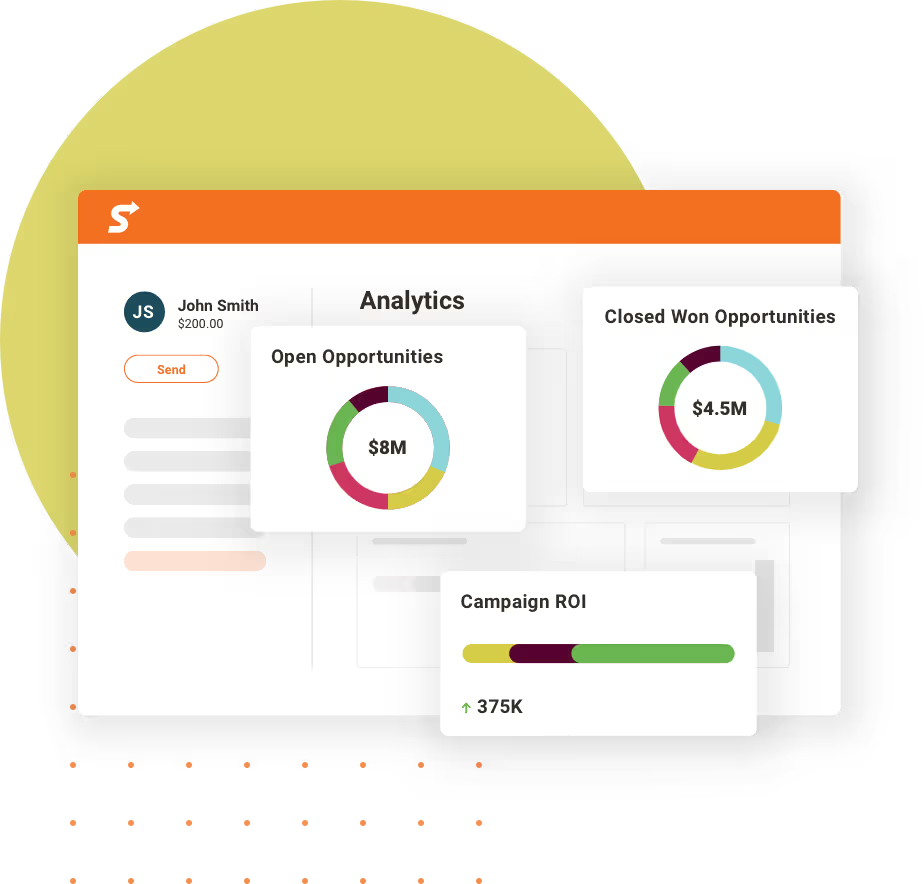
Pipeline and Revenue Attribution Stop guessing whether gifting is working. Every send and activity bi-directionally syncs with Salesforce, so you can see pipeline influenced by Sendoso, deal acceleration, and closed-won opportunities right in the reports your team already trusts, or just ask AI Agent Oso, or other AI assistant, to report on the impact using natural language.
Two-Way Activity and Campaign Sync Anything sent through Sendoso logs automatically as an activity on the Lead or Contact record. Map Campaign Member statuses to Sendoso statuses — like "Responded" to "Package Delivered" — for precise campaign reporting at a glance, without a rep ever touching a status field.


Send From Wherever Your Team Already Works
Send Directly From Salesforce Give reps a Sendoso button right on the Lead or Contact record. Pick a gift, and the address and email pull in automatically — no new login, no leaving the record, no extra training.
Send Through Sendoso MCP, From Your AI Assistant Your team already researches accounts and drafts outreach in AI assistants. Now they can send a gift from that same conversation. Ask the assistant to research a contact, get a gift recommendation, and confirm the send, the gift goes out with address handling taken care of, and it logs back to Salesforce like any other send.
Smarter Gift Recommendations, Smarter Insights, Built From What You Already Know
SmartSend Recommendations SmartSend recommends a gift using the context your team has already gathered — recipient details and context from your Account data, call signals (via Gong, where connected), and public information — pulling from Sendoso's marketplace and Amazon, so reps don't have to research every contact by hand before sending something relevant.
Instant Program Insights with Oso Oso is Sendoso's AI agent for plain-language questions about your gifting program. Since your Salesforce activity and pipeline attribution already live in Sendoso, you can ask things like which campaigns are driving the most closed-won pipeline or which reps are hitting their send goals, and get an answer in seconds — no dashboard, no export, no waiting on a report.
How It Works
- Connect your Salesforce org. A one-time OAuth sync — no managed package, nothing to install. (Setup guide)
- Map the fields that matter. Leads, Contacts, Opportunities, and Campaigns — Sendoso reads and writes back to the objects your team already uses.
- Set your rules. Build field-triggered campaigns, and if you're on Enterprise (or Advanced with the add-on), layer in Policy Center guardrails using your own Salesforce criteria.
- Send. From Salesforce, from Sendoso, or from your AI assistant via MCP — every gift logs back automatically.

Get Started with Sendoso + Salesforce.
Connect your Salesforce org and start turning deal signals into sends your team can prove worked.